
What Is Ping Mean? A Simple Guide for Beginners

When you see “ping” in a game, internet test, or computer command, you may wonder what is ping mean and why it matters. In simple terms, ping measures how long it takes a small message to travel from your device to another computer or server and come back. The result is usually shown in milliseconds (ms). Lower ping generally means a quicker response, which can make online games, calls, and other real-time activities feel more responsive. This guide explains what ping means, how it works, how to check it, what high ping can indicate, and what you can do when your connection feels delayed.
What Is Ping Mean in Simple Words?
Ping is a way to test the response time of a network connection. Your device sends a small request to a destination and waits for a reply. The time for that round trip is measured in milliseconds.
“Ping” can describe both the test and the number you receive. For example, 35 ms means the measured round trip took about 35 milliseconds. Microsoft describes the Windows ping command as a connectivity test that sends ICMP echo requests and shows round-trip times.
Ping is different from download speed. A fast internet package can still have noticeable delay because latency measures time, while bandwidth describes how much data a connection can carry.
How Does Ping Work?
Ping sends a small network message to a selected destination. The destination sends a response, and your device measures the complete trip.
Imagine an online game: your computer sends information to the server, and the server sends information back. The delay affects how quickly the game responds.
Ping can change because of server distance, congestion, Wi-Fi quality, VPN routing, or server problems. Cloudflare explains that latency measures travel time, while round-trip time measures the journey there and back.
What Does Ping Mean in Gaming?

For gamers, ping matters because online games depend on quick communication with a server. High ping can make actions feel delayed.
When you press a button, information travels to the server and back. Higher latency can delay the game’s response.
Lower ping is generally more responsive, but no single number guarantees a perfect gaming experience. Server location and stability also matter.
If your game feels delayed, ping may be one thing to check. However, lag can have several causes. Our guide on how to reduce lag while gaming on a laptop covers other practical ways to troubleshoot gaming delay.
What Is a Good Ping?
A good ping depends on the activity, but smaller round-trip time generally means less delay.
Ping | General experience |
Under 30 ms | Very responsive for many activities |
30–60 ms | Usually responsive |
60–100 ms | Often usable |
100–150 ms | Delay may become noticeable |
Over 150 ms | Real-time activities may feel delayed |
These ranges are only a guide. A stable connection can feel better than one that jumps sharply. Consistency matters too.
What Does High Ping Mean?
High ping means the measured round-trip response takes longer. For example, 180 ms represents more delay than 40 ms.
High ping does not automatically mean your internet plan is slow. Your device may be connecting to a distant server or busy route.
If high ping happens only in one game, the server or route may be involved. If many services have problems, the issue may be closer to your home network.
What Causes High Ping?
Common causes include:
Server Distance
A physically distant server usually creates more travel time. This is why online games often offer different server regions.
Wi-Fi Problems
Weak Wi-Fi, interference, or a crowded wireless network can make a connection less stable. Moving closer to the router or using Ethernet may improve consistency.
Network Congestion
User experience, or UX, is about how people interact
When many devices use one connection, traffic can compete for network capacity.
with a website.
Imagine a student visits a school website to find an admission form. If the form is hidden under confusing menus, the website may look attractive but still be frustrating.
Good UX makes common tasks easier. Clear navigation, readable text, useful buttons, and logical page structure all help.
VPNs and Routing
A VPN can add network distance because traffic may travel through the VPN server before reaching its destination. Server routing can also create extra delays.
How to Check Ping on Windows
You can check ping without installing a special app. Windows includes the ping command.
- Press the Windows key and search for Command Prompt.
- Open Command Prompt.
- Type ping example.com and press Enter.
- Look at the reply times shown in milliseconds.
- Check whether requests time out or fail.
You can replace example.com with a website or server name. Windows normally sends several requests and displays statistics such as minimum, maximum, and average response time. See Microsoft’s official ping documentation for the command’s options and syntax.
Testing more than one destination gives better context because servers may be different distances away.
Can Ping Affect Internet Speed?
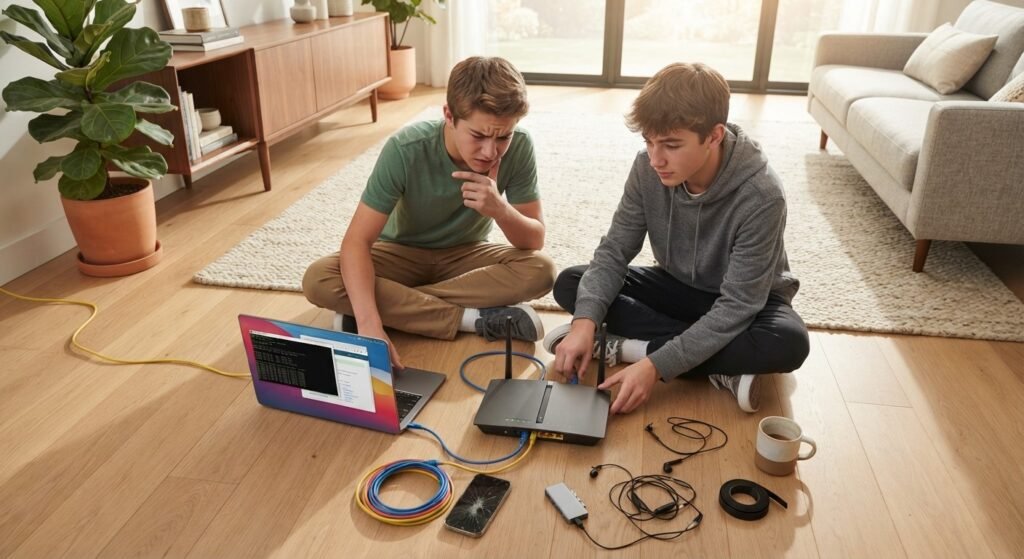
Ping and internet speed are related to network performance, but they are not the same. Ping focuses on response time, while download and upload speeds describe how much data can move through the connection over time.
For example, two students can have the same download speed but different ping to a game server. The student with higher ping may notice more delay.
A speed test and ping test give different information.
How to Reduce High Ping
You cannot control every part of an internet route, but a few steps can help.
1. Choose a Nearby Server
If a game or service offers server regions, choose one closer to your location when possible.
2. Improve Your Wi-Fi
Move closer to your router and check whether other devices are heavily using the network. Ethernet can provide a more consistent connection than Wi-Fi.
3. Pause Heavy Downloads
Large downloads, cloud backups, or high-quality streams can compete for network resources. Pause them when you need a more responsive connection.
4. Test Without a VPN
If you use a VPN and notice higher latency, compare the connection with it turned off when appropriate. A distant VPN server can add travel time.
5. Restart Your Router
Restarting network equipment can sometimes clear temporary connection problems, but not every cause.
If you are troubleshooting gaming performance, also check your frame rate because network delay and low FPS are different problems. Our guide on how to check FPS while gaming explains that separate measurement.
Ping vs FPS: Are They the Same?
No. Ping and FPS measure different parts of gaming performance.
Ping measures network response time between your device and a server. FPS, or frames per second, measures how many frames your computer or console produces and displays each second.
A game can have high FPS but high ping, so it may look smooth while online actions feel delayed. The opposite can also happen: ping may be low while FPS is low, making the game look choppy.
Does Ping Matter Outside Gaming?
Yes. Ping can matter in online meetings, remote desktops, cloud applications, and other interactive services. During a video call, high latency can create pauses between one person’s speech and another person’s response.
However, call quality can also depend on bandwidth, packet loss, device performance, and the service itself. Ping is one useful measurement, not a complete score for your internet connection.
Ping, Stability, and Gaming

Low ping does not always mean the best connection. Ping matters, but stability and packet loss matter too.
It is also easy to confuse ping with FPS or download speed. These measurements answer different questions, so check the metric that matches the problem.
If you are interested in competitive gaming, our beginner guide explains what esports is and how it works and provides useful background on online competition.
Frequently Asked Questions (FAQ)
1. What is ping mean in internet terms?
Ping refers to a network response test and the round-trip time measured by that test. It is usually shown in milliseconds.
2. Is lower ping better?
For real-time activities, lower ping generally means less delay. However, stability and packet loss also matter.
3. What causes high ping?
Common causes include a distant server, Wi-Fi problems, network congestion, VPN routing, and routing issues.
4. Is 100 ms ping bad?
A 100 ms ping may be fine for some activities, but it can be noticeable in fast real-time games.
5. Does ping affect FPS?
No. Ping measures network response time, while FPS measures how many frames a device produces. They affect gaming in different ways.
6. How can I check ping on Windows?
Open Command Prompt and run the ping command followed by a website or server name. Windows will show response times and statistics.
Conclusion
Understanding what is ping mean makes it easier to troubleshoot delayed online experiences. Ping measures network response time, while FPS and download speed measure different parts of performance. If your ping is high, check server distance, Wi-Fi, network usage, VPN routing, and other possible causes. Most importantly, do not judge your connection by one number alone. Look at ping, stability, and the activity you are using to understand what is happening.