
AI Tutor: How It Help Students Learn

An AI tutor can give students extra help when a teacher, parent, or classmate is not available. Instead of simply giving an answer, a good AI tutor can explain difficult ideas, provide examples, ask questions, and help students practice. This can make learning more flexible and personal. However, AI should support learning rather than replace a teacher or a student’s own thinking. AI tools can sometimes make mistakes, so students should check important information before using it. In this guide, you will learn what an AI tutor is, how it works, how students can use one effectively, and what limitations and safety concerns they should understand.
What Is an AI Tutor?
An AI tutor is a technology tool that uses artificial intelligence to help someone learn. It can respond to questions, explain concepts, give examples, create practice questions, and provide feedback.
Unlike a traditional tutoring session, an AI tutor can often respond immediately. A student can ask the same question in several different ways until the explanation makes sense.
For example, imagine that a student is struggling with fractions. Instead of asking for the final answer to a problem, the student could ask an AI tutor to explain fractions using a simple example. The AI can then break the concept into smaller steps.
Some AI tutoring systems are designed specifically for education. For example, Khan Academy’s Khanmigo is an AI-powered tutor that is designed to provide learning support and guide students through problems rather than simply handing over answers.
How Does an AI Tutor Work?
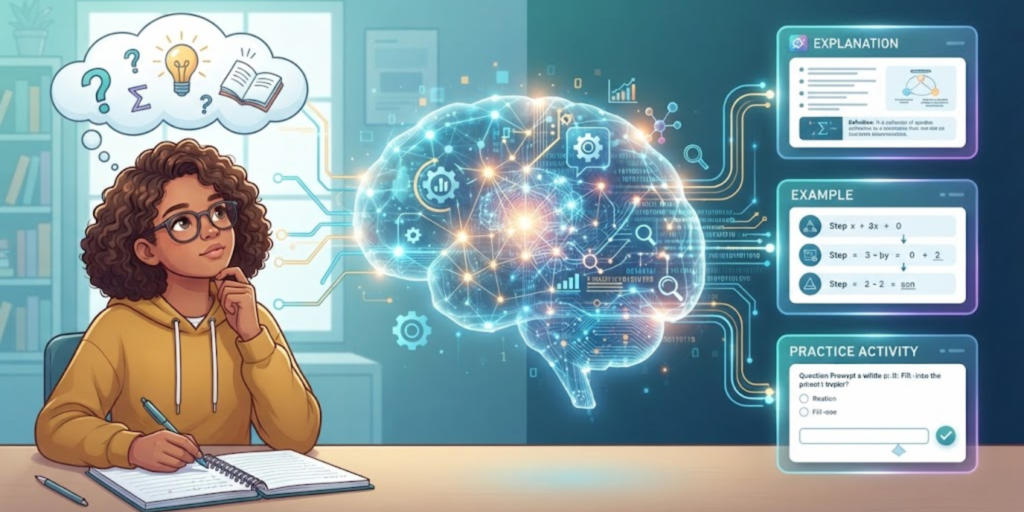
An AI tutor usually works by understanding a student’s question and generating a response based on patterns learned from large amounts of information and its educational system or content.
Depending on the tool, it may be able to:
- Explain a difficult topic in simpler language
- Give examples
- Ask questions to check understanding
- Create practice exercises
- Help with writing and brainstorming
- Give hints when a student is stuck
- Help create a study plan
- Provide feedback on an answer
For instance, a student learning Python might ask an AI tutor to explain what a loop does. If the first explanation is confusing, the student can ask for a simpler explanation or a beginner-friendly example.
However, AI does not understand everything perfectly. It can sometimes provide incorrect, incomplete, or misleading information. Therefore, students should not treat every AI response as automatically correct.
How Can Students Use an AI Tutor?
There are many useful ways students can include AI tutoring in their study routine.

1. Understand Difficult Topics
One of the simplest uses is asking an AI tutor to explain something that you do not understand.
Instead of asking:
“What is photosynthesis?”
you could ask:
“Explain photosynthesis in simple words for a middle school student.”
This gives the AI more information about the type of explanation you need.
2. Ask for Step-by-Step Help
When solving a difficult problem, ask for guidance instead of immediately requesting the final answer.
For example:
“Help me solve this math problem step by step. Give me a hint first.”
This approach can encourage you to think through the problem yourself.
3. Practice Before a Test
An AI tutor can also help create practice questions.
You could ask it to make five beginner-level questions about a topic and then answer them yourself. Afterward, you can ask for feedback on your answers.
This turns AI from an answer machine into a study partner.
4. Create a Study Plan
Students often know what they need to learn but are unsure where to start.
An AI tutor can help organize a study plan based on the subjects or skills you want to improve. For example, you could ask for a seven-day beginner plan for learning Python.
For more ideas about useful skills students can develop, you can also explore these 10 essential skills for students.
5. Learn at Your Own Pace
A classroom has a fixed schedule, but students do not always learn at the same speed.
Some students may understand a topic quickly, while others need more examples and practice. An AI tutor can provide another explanation when a student needs more time.
UNESCO’s student AI competency framework also emphasizes that students should learn to use AI safely, meaningfully, and responsibly rather than simply relying on AI for answers.
What Are the Benefits of an AI Tutor?
AI tutoring can offer several useful benefits when used correctly.
Personalized Explanations
Students can ask for explanations at different levels. A beginner can request simple language, while a more advanced student can ask for a deeper explanation.
Immediate Support
An AI tutor can respond quickly, which can be useful when a student is studying independently.
Extra Practice
Students can request additional questions, examples, quizzes, or exercises about a particular topic.
Less Fear of Asking Questions
Some students may feel uncomfortable asking the same question several times in class. An AI tutor can provide another explanation without making the student feel embarrassed.
Support for Different Subjects
Depending on the tool, AI can help with subjects such as mathematics, science, languages, writing, coding, and general study skills.
Students interested in building technology skills can also read this roadmap to learn AI for ideas about where to begin.
What Are the Limitations of an AI Tutor?

AI tutoring sounds useful, but it is not perfect.
AI Can Make Mistakes
An AI system can give an answer that sounds confident but is still wrong. This is one reason students should verify important facts using trusted sources, textbooks, teachers, or official websites.
It Cannot Replace a Teacher
A teacher understands the classroom, observes students, and can provide human encouragement and judgment. An AI tutor cannot fully replace that relationship.
UNESCO recommends a human-centered approach to generative AI in education and highlights the importance of human agency, safety, and appropriate use.
It Can Encourage Over-Reliance
If students use AI to complete every assignment, they may miss the opportunity to practice important skills.
For example, asking AI to write an entire essay may save time, but writing the essay yourself helps you practice research, organization, vocabulary, and communication.
Different Tools Have Different Features
Not every AI tutor works in the same way. Some focus on school subjects, while others are general-purpose chatbots. Some may include educational content, practice exercises, or teacher supervision.
How to Use an AI Tutor Responsibly

The best way to use an AI tutor is as a learning assistant, not as a replacement for your own thinking.
Follow these simple habits:
- Try the problem yourself first. Give yourself a chance to think before asking AI.
- Ask for hints. If you are stuck, request guidance instead of the complete answer.
- Check important information. Compare important facts with trusted sources.
- Use AI to practice. Ask for quizzes, examples, and explanations.
- Do your own schoolwork. Follow your teacher’s rules about AI use.
- Protect personal information. Do not share private information unnecessarily.
- Think critically. Ask yourself whether the answer actually makes sense.
For official information about responsible generative AI use in education, students and educators can review UNESCO’s guidance on generative AI in education.
AI Tutor vs. Traditional Tutor
An AI tutor and a human tutor can both support learning, but they have different strengths.
Feature | AI Tutor | Human Tutor |
Immediate responses | Usually yes | Depends on availability |
Personalized explanations | Yes | Yes |
Human understanding | Limited | Strong |
Emotional support | Limited | Strong |
Practice questions | Often available | Yes |
Can make mistakes | Yes | Yes |
Understands classroom context | Limited | Better |
Replaces a teacher | No | No |
The best choice does not have to be one or the other. Students can use technology for extra practice while still learning from teachers, books, classmates, and other trusted resources.
Tips for Getting Better Answers From an AI Tutor
The way you ask a question can make a big difference.
Instead of saying:
“Explain coding.”
try:
“Explain Python variables to a beginner using two simple examples.”
You can also tell the AI:
- Your grade or learning level
- What part you already understand
- What part is confusing
- Whether you want an example
- Whether you want a quiz
- Whether you want hints instead of answers
For example:
“I understand what a variable is, but I do not understand how it works in Python. Explain it simply and give me three practice questions.”
A clear question gives the AI more useful context.
Should Students Use an AI Tutor for Homework?
Yes, but the way it is used matters.
Using AI to understand a difficult lesson, generate practice questions, or receive hints can support learning. On the other hand, copying an AI-generated answer and submitting it as your own work can prevent you from learning the topic.
A good rule is simple:
Use AI to help you learn, not to avoid learning.
If you are interested in developing other useful abilities alongside AI skills, you can also read about 10 skills worth learning as a teenager.
Frequently Asked Questions (FAQ)
1. What is an AI tutor?
An AI tutor is a technology tool that uses artificial intelligence to help students learn by explaining concepts, answering questions, providing practice, and offering guidance.
2. Can an AI tutor replace a teacher?
No. An AI tutor can provide additional support, but it cannot fully replace a teacher’s experience, judgment, personal guidance, and understanding of students.
3. Can an AI tutor help with homework?
Yes. Students can use AI to understand instructions, learn difficult concepts, get hints, or create practice questions. However, they should follow their school’s rules and complete their own work.
4. Can AI tutors make mistakes?
Yes. AI can sometimes provide incorrect or incomplete information. Important answers should be checked against trusted educational or official sources.
5. Is an AI tutor useful for learning coding?
Yes. Students can ask an AI tutor to explain programming concepts, find mistakes in beginner code, create practice questions, or provide hints while solving problems.
6. How should students use AI safely?
Students should avoid sharing unnecessary personal information, check important information, follow age and school rules, and use AI as a learning tool rather than blindly trusting every response.
7. What is the best way to ask an AI tutor a question?
Be specific. Explain what you are learning, what you already understand, and what you find confusing. You can also ask for a simple explanation, example, hint, or practice quiz.
Conclusion
An AI tutor can be a useful study companion when students use it thoughtfully. It can explain difficult topics, provide practice, create study plans, and offer extra guidance when someone gets stuck.
However, AI should not replace teachers, independent thinking, or trusted learning resources. The smartest approach is to use AI as a tool that helps you understand more, practice more, and become a more independent learner.