
What Is Wi Fi for Kids?

Kids today use the internet daily for online classes, games, videos, and chatting with friends on phones, tablets, and laptops. Many parents and beginners often ask what Wi Fi for kids means and how it works in everyday life. Wi Fi is a wireless system that connects devices to the internet without cables, making online learning and entertainment simple at home or school.
For example, with Wi Fi, children can access lessons, watch educational videos, and complete homework using different smart devices. It also supports families in staying connected through fast and flexible internet access. You can explore more helpful tips in our Online Safety & Digital Privacy category. Understanding Wi Fi helps families use technology in a safer and smarter way every day.
What Is Wi Fi?
Simple Meaning of Wi Fi
Wi Fi is a wireless internet connection that lets devices go online without using wires. It connects phones, tablets, laptops, and other smart devices through a router found in homes, schools, and public places.
Instead of cables, Wi Fi sends data signals through the air so devices can connect automatically. This makes browsing, studying, and streaming easier for everyone.
Why Kids Use Wi Fi Every Day
Children use Wi Fi for school learning, homework support, and online classes. It gives access to educational videos, digital lessons, and study apps that help improve learning at home.
In addition, Wi Fi is also used for entertainment and communication. Kids watch videos, play games, and connect with friends or family through messaging and video calls. A stable connection makes these activities smoother and more enjoyable.
How Does Wi Fi Work?
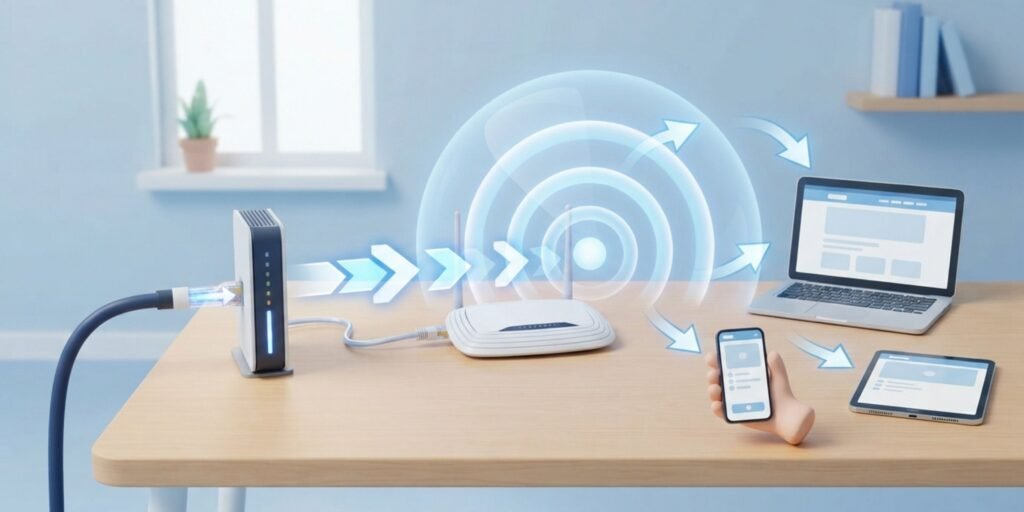
How Wi Fi Sends Internet Signals
Wi Fi works when the internet enters a home through a modem. The router then converts it into wireless signals that travel through the air. Devices like phones and laptops receive these signals and connect to the internet instantly.
As a result, this system allows users to open websites, stream videos, and use apps without any physical connection. A strong router improves speed and connection stability across all devices.
For more information about protecting a home wireless network, the Federal Trade Commission’s guide to securing a home Wi-Fi network explains basic security steps.
Easy Example for Kids
Think of Wi Fi like invisible waves carrying the internet from the router to your device. Even though you cannot see them, they help keep everything connected.
Because of this, learning and entertainment become easier for children. You can also read our guide to Internet Safety Rules for Kids and Parents to learn how to stay safer online.
Devices That Use Wi Fi
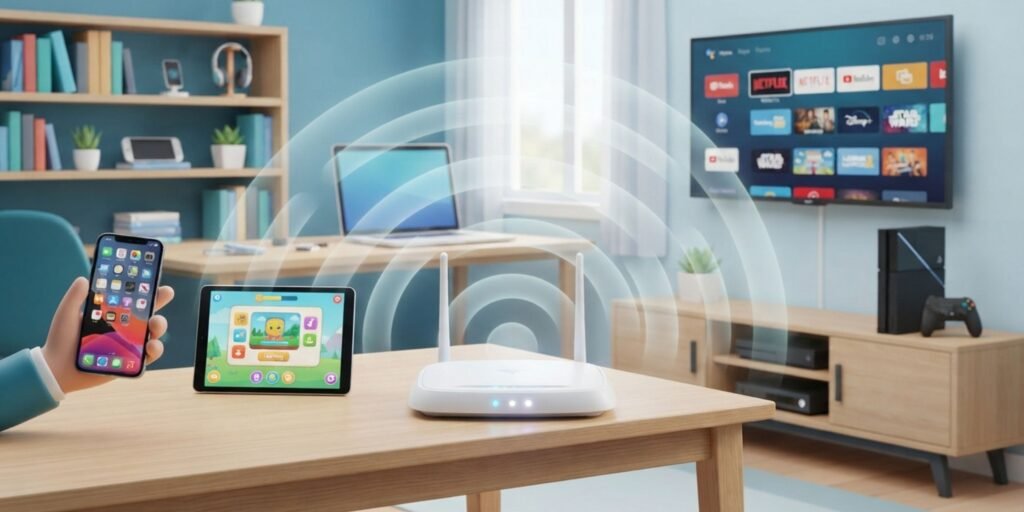
Wi Fi connects many smart devices used in daily life. It helps families stay online without cables or extra setup.
Common Devices Connected to Wi Fi
- Smartphones
- Tablets
- Laptops
- Smart TVs
- Gaming consoles
These devices use Wi Fi for streaming, learning, gaming, and communication at home and school.
Where Can You Use Wi Fi?
Places Where Wi Fi Is Available
Wi Fi is available in homes, schools, libraries, cafes, airports, and hotels. It allows people to stay connected almost anywhere.
Schools use it for learning activities, while public places provide it for visitors who need internet access on the go.
What Is Public Wi Fi?
Public Wi Fi is a wireless connection available in shared places like cafes and airports. It allows users to browse the internet without using mobile data.
However, public networks should be used carefully. Some public wifi risks include fake networks, unsafe websites, phishing attempts, or careless sharing of personal information. The National Cybersecurity Alliance’s public Wi-Fi safety guide recommends being careful with networks, login pages, and device security when using public Wi Fi.
Is Wi Fi Safe for Kids?
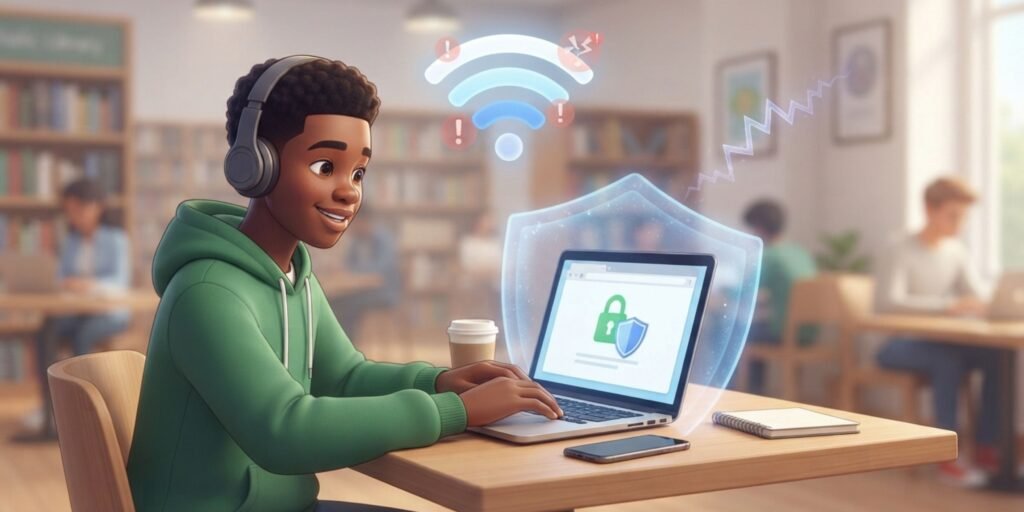
Wi Fi itself is simply a way for devices to connect wirelessly to a network. What matters most is how children use the internet and the networks they connect to.
Public networks require extra care because of potential public wifi risks. Children should avoid sharing personal details and should ask a parent or trusted adult before connecting to unfamiliar public Wi Fi.
The Federal Trade Commission’s public Wi-Fi safety advice also explains why users should pay attention to secure websites and protect their personal information when using public networks.
Simple Wi Fi Safety Tips
- Use strong passwords for home Wi Fi.
- Avoid sharing personal details online.
- Ask parents before using public Wi Fi.
- Avoid entering sensitive information on unfamiliar public networks.
These habits help children stay protected while using the internet.
Why Safe Internet Habits Matter
Safe internet habits protect personal data and keep devices secure. They also help children use the internet responsibly.
For more guidance, visit the National Cybersecurity Alliance.
Wi Fi vs Mobile Data
Wi Fi and mobile data both provide internet access, but they work differently. Wi Fi is mainly used in fixed locations, while mobile data works through cellular networks.
What Makes Them Different
Wi Fi uses a router and works best indoors with stable speed. It is ideal for studying, streaming, and downloading.
Mobile data works through a phone network and is useful when Wi Fi is not available. Its speed depends on signal strength and location.
Common Wi Fi Problems and Simple Fixes
Wi Fi can sometimes slow down, but most issues are easy to fix.
Why Wi Fi Can Become Slow
Slow Wi Fi usually happens due to too many connected devices, weak signals, or distance from the router.
Easy Ways to Improve Wi Fi
Moving closer to the router, restarting it, or disconnecting unused devices can quickly improve speed and performance.
You may also enjoy our article about common internet safety mistakes families should avoid.
Fun Facts About Wi Fi
Interesting Things Kids Should Know
Wi Fi uses radio waves to send internet signals through the air. It does not stand for Wireless Fidelity, even though many people think so.
Modern Wi Fi is much faster than older versions and supports many devices at the same time for learning and entertainment.
Why Wi Fi Is Important Today
How Wi Fi Helps Families and Students
Wi Fi supports online learning, homework, communication, and entertainment. Students use it for classes and study apps, while families use it for videos, games, and messaging.
A strong internet connection makes daily life easier, faster, and more connected. Learning about Wi Fi and understanding public wifi risks can also help young users make smarter choices when connecting to different networks.
Conclusion
Wi Fi makes internet use simple and convenient for children and families by removing the need for cables. It supports learning, entertainment, and communication in an easy way. Understanding how it works, along with learning about public wifi risks, can help children develop safer and smarter digital habits for the future.
Frequently Asked Questions
What is Wi-Fi in simple words?
Wi Fi is a wireless connection that lets devices access the internet without cables.
Is Wi Fi safe for children?
Wi Fi is a way to connect devices to a network. Children should follow basic internet safety rules and ask a trusted adult before using unfamiliar public networks.
Can Wi Fi work without cables?
Yes, it sends internet signals wirelessly from a router.
What devices can use Wi Fi?
Phones, tablets, laptops, smart TVs, and gaming consoles can use Wi Fi.
Why is my Wi Fi slow?
It can slow down due to weak signals, too many devices, or distance from the router.
Pingback: Skills for Students: 10 Essential Skills to Succeed | techforteen.com