
How to Know if Your Phone Is Hacked and What to Do
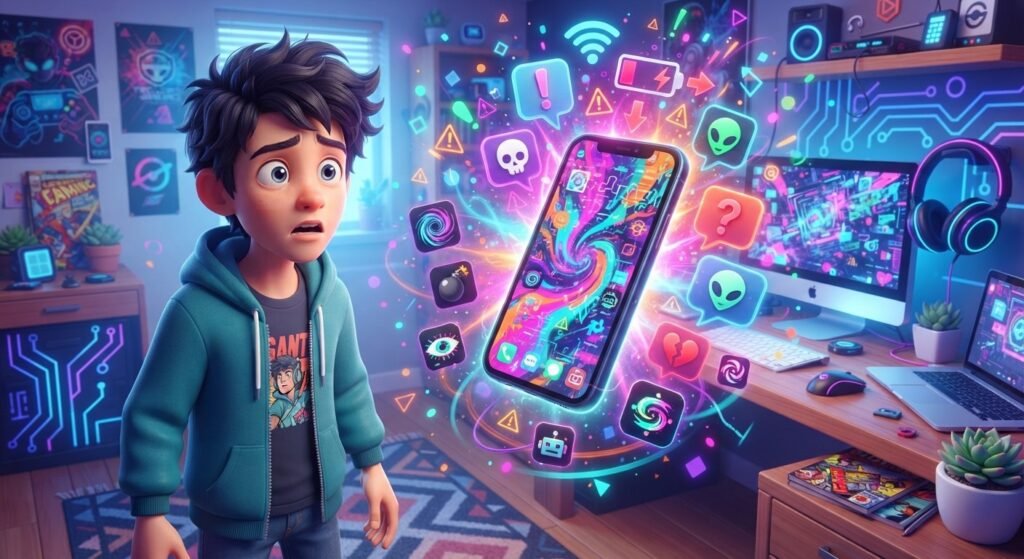
Your phone holds photos, messages, passwords, social accounts, and other personal information, so strange behavior can feel worrying. If you think your phone is hacked, do not panic. A fast-draining battery or a slow app does not automatically mean someone has broken into your device. However, several unusual changes together deserve attention. This guide explains the common warning signs, why they can happen, and what you should do next. You will also learn simple ways to protect an Android phone or iPhone from malware, phishing, unsafe apps, and account takeovers.
What Does It Mean if Your Phone Is Hacked?
A hacked phone is a device that someone has accessed or affected without your permission. This can happen through malicious apps, stolen passwords, phishing links, unsafe downloads, or security weaknesses in the software. In some cases, the phone itself may be secure, while an account connected to it has been compromised.
A single unusual symptom does not necessarily mean your phone has been hacked. Instead, look for several warning signs and check the important accounts connected to your device as well.
Signs Your Phone May Be Hacked

1. The Battery Suddenly Drains Faster
If your battery starts dropping much faster than normal, something may be running in the background. Unwanted apps or malware can sometimes use extra power.
However, battery drain can also come from an old battery, gaming, video streaming, high screen brightness, poor signal, or a recent update. Check battery usage before assuming your phone has been hacked.
2. Your Phone Gets Hot While You Are Not Using It
A phone that becomes unusually warm while sitting unused may deserve a closer look. Background apps, downloads, poor signal, and normal system activity can all create heat.
If the problem keeps happening without an obvious reason, check which apps are active and install pending updates.
3. You Find Apps You Did Not Install
An unfamiliar app can be a warning sign, especially if you do not remember installing it. Review the app list and check its permissions and installation source.
If you are unsure about an app, ask a trusted adult or use official device support before removing it.
4. Your Mobile Data Usage Increases
Unexpected data usage can happen when an app uploads or downloads information in the background. It can also come from automatic backups, app updates, or hotspot use.
Check your phone’s data settings to see which apps are responsible. If an unfamiliar app is using a large amount of data, investigate it before allowing it to continue.
5. Strange Pop-Ups or Messages Appear
Repeated pop-ups, fake virus warnings, or messages telling you to call a number can indicate a scam or unwanted software. Do not follow instructions simply because a message looks urgent.
Suspicious texts may also contain phishing links designed to steal passwords or personal information. Before interacting with unexpected messages, learn how to spot and avoid scam messages.
6. Your Accounts Show Activity You Did Not Make
This is one of the most important things to check. You might receive a login alert, password-change notification, or security message about a device or location you do not recognize.
You may also notice messages sent from your account, changed profile details, or unfamiliar recovery information. These signs can mean an account has been compromised even when the phone itself is fine.
Why Can a Phone Get Hacked?
One common route is phishing. A fake message or website can trick someone into entering a password or downloading something harmful.
Unsafe apps are another risk. An app that asks for permissions unrelated to its purpose should make you cautious. CISA recommends keeping mobile software updated, avoiding suspicious links, and checking app permissions.
Password reuse can create another problem. If one account is breached and the same password is used elsewhere, an attacker may try it on other accounts. Unique passwords and two-factor authentication can reduce this risk.
What to Do If You Think Your Phone Is Hacked

If several warning signs appear, work through these steps calmly.
1. Disconnect From Suspicious Activity
If you believe a malicious app or connection is active, temporarily turn off Wi-Fi and mobile data while you investigate. This can limit some network activity, although it does not remove malware.
Do not install unfamiliar “phone cleaner” apps that promise an instant fix. Some fake security tools create fear and then encourage users to install more unwanted software.
2. Review and Remove Untrusted Apps
Look through your installed apps and remove ones you do not recognize or no longer need, especially if they came from an untrusted source.
Before removing anything important, check whether it is a built-in system app. If you are unsure, ask a trusted adult or reputable device support service.
3. Update Your Phone
Install available operating system and app updates. Security updates often fix weaknesses that attackers could exploit.
After updating, check whether the unusual behavior continues.
4. Secure Your Important Accounts
If you suspect a password has been exposed, change it from a device or account environment you trust. Start with your email account because it can be used to recover other accounts.
Next, check social media, messaging, cloud storage, and other important services. Turn on two-factor authentication where available, and remove unfamiliar logged-in devices.
For more practical protection, review strong passwords and digital hygiene.
5. Check Recovery Information
Look at the recovery email address and phone number attached to important accounts. Make sure they belong to you and that no unfamiliar information has been added.
If you are locked out, use the service’s official recovery process. Do not pay an unexpected caller who claims they can “unlock” your account.
6. Watch Financial Accounts
If your phone contains banking or payment apps, check for transactions or changes you did not make. If something looks suspicious, contact the bank or payment service through an official channel.
Never give an unexpected caller a verification code because they claim they need it to secure your account. Pressure and urgency are common scam tactics.
What If Your Phone Number Was Taken Over?
Sometimes the problem is connected to your mobile account rather than the physical phone. If someone takes control of your number, they may receive calls or messages intended for you.
If you suddenly lose mobile service without a normal explanation, contact your carrier through an official channel. The FTC advises contacting your service provider if a scammer has taken control of your number, then changing account passwords and checking financial accounts for unauthorized activity.
How to Protect Your Phone From Future Attacks

Once your phone is secure, simple habits can lower future risks:
- Keep your operating system and apps updated.
- Use a strong screen lock.
- Download apps from trusted official stores.
- Review app permissions regularly.
- Avoid suspicious links in texts, emails, and social media.
- Use unique passwords for important accounts.
- Turn on two-factor authentication.
- Back up important photos and files.
- Avoid unknown Wi-Fi networks when possible.
- Keep physical control of your phone.
Also, be careful with messages that create urgency. If someone says your account will close unless you click a link, stop and verify the claim through the official app or website. For more guidance, see how to spot and avoid scam messages.
When Should You Get Help?
If you cannot remove suspicious software, keep losing control of accounts, or the phone behaves strangely after updating and restarting, get help from a trusted adult or reputable device support service.
If someone uses your accounts to send harmful messages or target you online, save relevant evidence and ask for support. Our guide to cyberbullying awareness and staying safe online explains practical ways to respond to harmful online behavior.
Frequently Asked Questions (FAQ)
1. How can I tell if my phone is hacked?
Look for several unusual signs together, such as unfamiliar apps, suspicious account activity, repeated pop-ups, unexpected data use, or unusual performance. One symptom alone does not prove a hack.
2. Can a slow phone mean it is hacked?
It can, but slow performance has many other causes, including low storage, an old battery, background apps, or software problems. Check for other warning signs first.
3. Should I factory reset a hacked phone?
A factory reset may help when serious problems continue, but back up important data first. If you are unsure, ask a trusted adult or reputable technician for help.
4. Can someone hack my phone through a text message?
A text message does not automatically hack your phone. However, a suspicious message may contain a phishing link or encourage you to install harmful software, so avoid unexpected links.
5. What should I do if my social media account was hacked?
Change the password, sign out of unfamiliar sessions, turn on two-factor authentication, check recovery information, and follow the platform’s official recovery process.
6. Does fast battery drain always mean my phone is hacked?
No. Battery age, gaming, streaming, brightness, weak signal, updates, and background apps can all cause faster battery drain.
Conclusion
If you think your phone is hacked, stay calm and check the evidence before making major changes. Look for unfamiliar apps, suspicious account activity, strange pop-ups, unexpected data use, and other unusual behavior. Then update your phone, remove untrusted apps, secure important accounts, and use two-factor authentication. Most importantly, avoid suspicious links and never share passwords or verification codes with unexpected callers or messages.