
Internet Safety Rules: 8 Essential Tips for Kids and Parents

Today, children use the internet for school, games, videos, learning, and staying connected with friends. While the online world offers countless opportunities for education, creativity, and entertainment, it also comes with risks that many kids may not fully understand. That is why learning internet safety rules is an important part of helping children use technology safely and responsibly.
Teaching children about safe browsing, online privacy, strong passwords, and responsible digital behavior can help them recognize common internet dangers and make smarter decisions. From cyberbullying and online scams to suspicious links and strangers online, children may encounter situations they are not prepared to handle on their own. These habits are an important part of internet safety for kids and can help children become more confident digital users.
In this guide, you will discover practical internet safety rules for kids and parents, along with ways to improve online privacy, recognize common risks, and create healthier conversations about technology. You can also explore more family-friendly guides in our Online Safety & Digital Privacy category.
Why Kids Need Protection on the Internet
Children are naturally curious and often willing to explore new websites, apps, games, and online communities. This curiosity is a positive part of learning, but it can also make children more vulnerable when they do not yet understand how online risks work. Many kids may click unfamiliar links, accept friend requests, download apps, or share information without realizing the possible consequences.
As internet use continues to grow, parents can help children develop safe digital habits from an early age. The goal is not to completely control everything children do online. Instead, parents can provide age-appropriate guidance, explain potential risks, and make sure children know where to turn when something feels wrong.
Many online dangers are not always easy for kids to recognize. Cyberbullying, stranger contact, phishing attempts, fake giveaways, and misleading messages can appear harmless at first. Some websites may also contain inappropriate content, malware, or scams designed to collect personal information.
Teaching online privacy for children, safe browsing, and responsible digital behavior can help families create a safer and more positive online experience.
Common Online Risks Every Parent Should Know
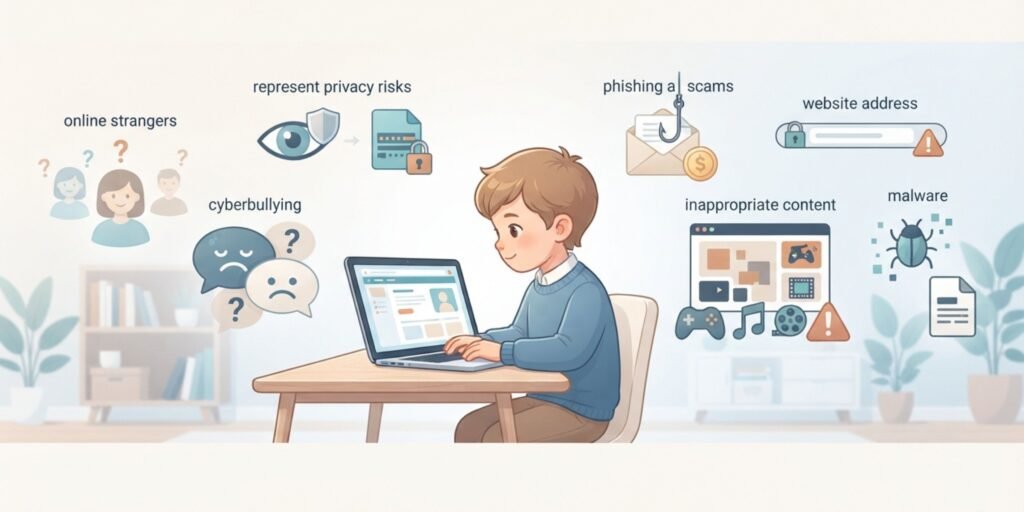
The internet can be a great place for learning, creativity, gaming, and entertainment, but children may encounter risks they do not immediately recognize. Parents should understand these common dangers so they can explain them to their children without creating unnecessary fear.
Building awareness about children’s online safety helps kids recognize warning signs and develop safer digital habits. Parents can also explore the UNICEF online safety guide for additional information about helping children stay safer in digital spaces.
Cyberbullying
Cyberbullying includes mean messages, online harassment, embarrassing posts, hurtful comments, or repeated attempts to upset someone through digital platforms. Because these interactions can happen through social media, games, messaging apps, or online communities, children may find it difficult to escape them.
Cyberbullying can affect a child’s confidence and emotional well-being. Parents should encourage children to speak openly if something online makes them feel upset, threatened, embarrassed, or uncomfortable. Children should also know that they do not have to respond to hurtful messages themselves.
Online Strangers and Unsafe Contact
Children may meet new people through multiplayer games, social media, chat apps, or online communities. Although not every stranger online is dangerous, children should understand that people may not always be who they claim to be.
Teach kids not to share personal details, meet someone they only know online, or move conversations to another private platform without talking to a trusted adult first.
Phishing, Scams, and Fake Giveaways
Online scams can appear as messages, emails, pop-ups, fake contests, or exciting giveaways. A child might receive a message saying they have won something or need to click a link to claim a reward.
Teach children to stop and ask an adult before clicking suspicious links, entering personal information, or downloading unexpected files. Learning to recognize these warning signs is an important part of internet safety for kids.
Inappropriate or Harmful Content
Children can sometimes come across content that is violent, disturbing, misleading, or inappropriate for their age. Even careful browsing cannot guarantee that children will never encounter something unexpected online.
Parents can use age-appropriate content filters and parental controls while also teaching children what to do if they accidentally see something that makes them uncomfortable. The most important lesson is to tell a trusted adult instead of hiding the experience.
Privacy and Personal Information
Personal information can include a child’s full name, home address, school name, phone number, passwords, location, or other private details. Children may not realize that sharing small pieces of information can sometimes reveal more about them than intended.
Teaching online privacy for children helps them understand why personal information should be protected and shared only when necessary and with appropriate adult guidance.
Malware and Unsafe Downloads
Fake apps, suspicious files, misleading advertisements, and unsafe websites can expose devices to malware. Children may be tempted to download games, cheats, apps, or other files without checking whether they are trustworthy.
Parents should encourage children to ask before downloading unfamiliar software and use reputable security tools to reduce unnecessary risks.
Common Online Risks Every Parent Should Know
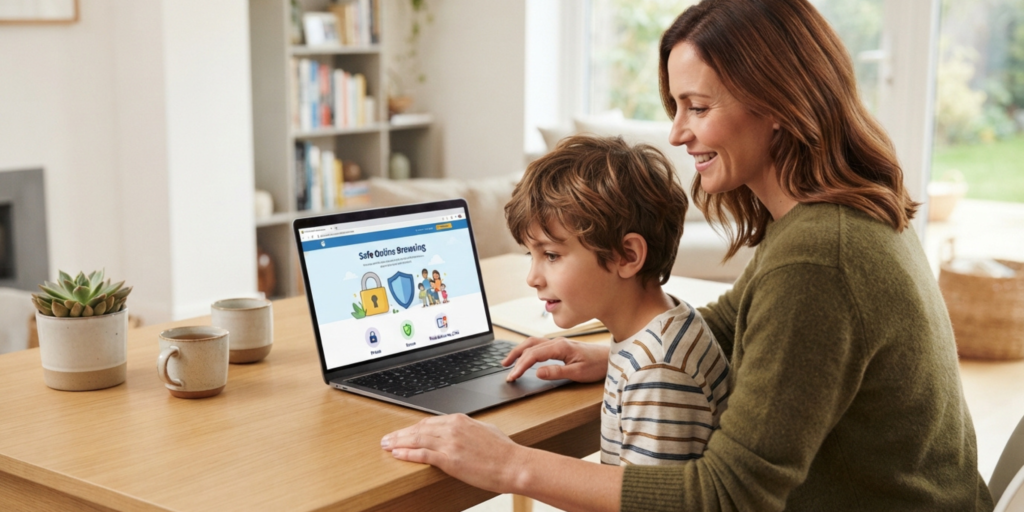
Helping children stay safe online is not about strict control. It is about guidance, communication, awareness, and balance. Parents can build healthy digital habits by staying involved and teaching simple rules that children can understand and remember.
These internet safety rules focus on communication, privacy, passwords, parental controls, and responsible digital habits. Parents can use them as a simple starting point for teaching internet safety for kids at home
1.Keep Lines of Communication Open
Encourage honest conversations with your children about what they do online. Ask which apps they use, which games they play, what videos they watch, and what they enjoy about being online.
Try to create an environment where children know they can ask questions without immediately being punished or blamed. When kids feel safe talking to their parents, they are more likely to share problems early instead of hiding them.
2.Set Clear Rules and Boundaries
Create simple and age-appropriate rules for screen time, websites, apps, downloads, and online communication. Explain the reason behind each rule instead of simply saying that something is not allowed.
Clear boundaries help children understand expectations and reduce exposure to unsafe online content. Consistency is often more helpful than extremely strict rules.
3.Monitor Social Media Use
If your child uses social media, help them review privacy settings and understand who can see their posts or contact them. Encourage them to accept requests only from people they actually know and trust.
Parents should also teach children that online profiles can contain misleading information. This can improve online privacy for children and reduce the risk of unwanted contact.
4.Teach Safe Password Practices
Teach children to use long, unique passwords or passphrases for important accounts and explain why passwords should remain private. Children should not share passwords with friends or strangers.
Where appropriate, parents can also introduce additional security features such as two-factor authentication. Learning good password security habits early can help children protect their accounts as they become more independent online.
5.Use Parental Controls
Parental controls can help parents filter inappropriate content, manage screen time, restrict certain websites, and control some online activities. These tools can be useful, especially for younger children.
However, parental controls should support communication rather than replace it. Children should gradually learn how to make safe decisions themselves as they become more independent.
Parents can also learn more about family safety features through the Google Safety Center, which provides guidance on safer digital experiences.
6.Guide Children on Recognizing Red Flags
Teach kids how to recognize suspicious messages, unusual requests, fake prizes, pressure to keep secrets, strange links, and other warning signs.
A simple rule can help: If something feels strange, scary, confusing, or too good to be true, stop and ask a trusted adult before responding.
This gives children a practical way to handle unfamiliar situations instead of expecting them to remember complicated cybersecurity rules.
7.Encourage Safe Device Habits
Parents can encourage children to use devices in appropriate areas of the home, especially when they are younger. They can also teach children to lock their devices, keep software updated, avoid unknown downloads, and use trusted networks when possible.
The goal is to build safer habits while gradually giving children more independence and responsibility.
8. Think Before Sharing
Children should understand that anything they post online can potentially be copied, saved, or shared by someone else. Encourage them to think before posting photos, videos, comments, or personal information.
A simple question can help:
Would I be comfortable if a parent, teacher, or trusted adult saw this?
This habit can help children make more thoughtful decisions and protect their digital reputation.
How to Talk to Kids About Internet Safety

Talking to children about online safety is just as important as setting rules. Kids learn better when they feel heard and understood instead of judged.
Regular conversations about technology can help children recognize problems before they become serious. These online safety for children conversations should be simple, age-appropriate, and part of everyday family life rather than something discussed only after a problem occurs.
Parents looking for age-appropriate advice can also explore Internet Matters for practical guidance on children’s online safety.
Talk About Their Online Activities
Ask your children what they do online, which games they play, which apps they use, and who they interact with. Keep the conversation open and calm without immediately judging their choices.
You can also ask questions such as:
- What do you like doing online?
- Have you ever received a strange message?
- Do you know how to block someone?
- What would you do if someone asked for your personal information?
- Who would you tell if something made you uncomfortable?
These conversations help children feel comfortable sharing problems before they become more serious.
Teach Kids to Take Action
Children should know what to do when they encounter something unsafe. Show them how to block or report harmful users and explain why reporting inappropriate behavior can help protect them and others.
Encourage kids to tell a trusted adult if someone online makes them uncomfortable, asks them to keep secrets, requests personal information, or sends inappropriate messages.
Teaching children how to respond gives them confidence and supports child online protection in real situations.
Remind Them the Internet Never Forgets
Explain that anything posted online can potentially be copied, saved, or shared by other people, even if it is later deleted. Children should think carefully before posting photos, comments, videos, or personal information.
This helps them understand their digital footprint and encourages more responsible online behavior.
Don't Forget the Positive Side of the Internet
The internet is not only about risks. It also gives children opportunities to learn, create, communicate, practice skills, explore hobbies, and discover new interests.
Encourage children to use technology for education, creativity, skill-building, and positive communication. A healthy approach to internet safety should help children enjoy the benefits of technology while understanding how to use it responsibly.
Smart Internet Rules Every Kid Should Follow
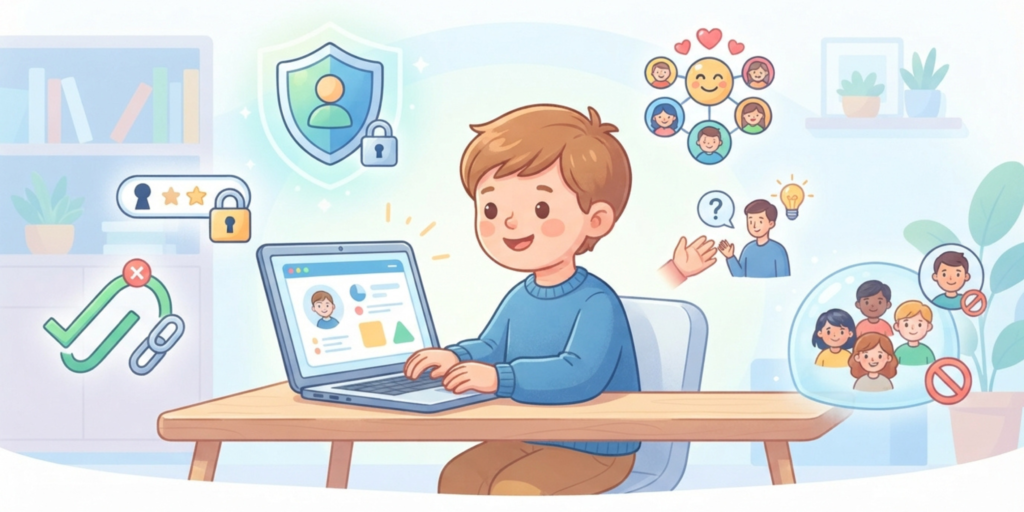
Children use the internet for learning, gaming, videos, and social media, but they also need simple rules they can remember. These basic internet safety for kids habits can help them avoid common risks while building confidence in the digital world.
When kids understand clear rules, they can enjoy the internet in a safer and more responsible way without feeling afraid or confused.
- Don’t talk privately with strangers online, because people may not always be who they claim to be.
- Never share personal information such as your home address, school name, phone number, passwords, or live location.
- Avoid suspicious links, pop-ups, and unexpected messages that may lead to scams or unsafe websites.
- Ask a parent or trusted adult before downloading unfamiliar apps, games, files, or software.
- Keep passwords private and never share them with friends or strangers.
- Think carefully before posting photos, videos, comments, or other personal information.
- Be kind online and avoid sending hurtful or threatening messages to others.
- Tell a trusted adult immediately if something online feels wrong, scary, confusing, or uncomfortable.
What Should Parents Do If Something Goes Wrong Online?
Even when children follow safety rules, they may still encounter problems online. The most important thing parents can do is remain calm and make sure the child knows they are not alone.
If something goes wrong, parents can:
- Listen to the child and let them explain what happened.
- Avoid blaming or shaming them for making a mistake.
- Help them block or report the account when appropriate.
- Save relevant information if it may be needed for reporting.
- Review privacy and security settings together.
- Explain what they can do differently next time.
- Seek additional help from a trusted adult, school, platform, or appropriate authority when the situation is serious.
Creating a supportive environment makes children more likely to ask for help instead of hiding problems.
How to Choose the Best Internet Safety Tools for Your Family
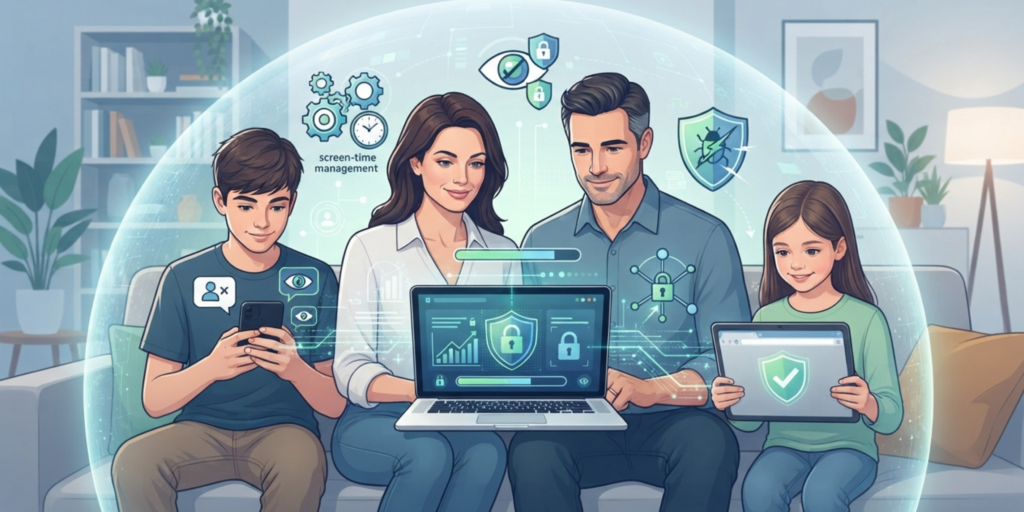
Keeping children safe online is easier when parents combine good digital habits with appropriate safety tools. These tools can support online safety for kids by adding protection against harmful content, unsafe websites, malware, and other online risks.
The goal is not to replace parental guidance but to make everyday internet use safer and more manageable.
When choosing tools, look for reliable antivirus software that can help protect devices from malware and unsafe downloads. Parents can also use parental controls to manage screen time, filter inappropriate content, and control access to certain websites or apps.
Safe browsing features can also help reduce exposure to dangerous websites, misleading links, and harmful advertisements. Along with these tools, strong privacy protection settings can help keep children’s personal information more secure.
Parents should also review these settings regularly because children’s needs change as they grow. A tool that is appropriate for a younger child may not be necessary in the same way for an older child.
Final Thoughts

Internet safety is not about creating fear around technology. It is about giving children the knowledge, confidence, and support they need to navigate the digital world responsibly.
When parents stay involved and encourage healthy habits, children can gradually learn how to recognize online risks, protect their personal information, and make smarter digital choices. The goal is to build independence while keeping appropriate guidance in place.
The most important part of internet safety for kids is open communication. When children feel comfortable talking about their online experiences, they are more likely to ask for help when something feels wrong or confusing.
Small daily habits such as checking privacy settings, using strong passwords, avoiding suspicious links, thinking before sharing, and knowing how to report problems can make a meaningful difference. Over time, these simple actions can create a safer and more positive online experience for the whole family.
Frequently Asked Questions About Internet Safety for Kids
What is internet safety for kids?
Internet safety for kids means teaching children how to use the internet safely, responsibly, and thoughtfully. It includes protecting personal information, using safe browsing habits, recognizing scams, avoiding unsafe interactions, and knowing when to ask a trusted adult for help.
Why is online safety important for children?
Online safety is important because children may not always recognize risks such as cyberbullying, phishing, scams, unsafe websites, inappropriate content, or unwanted contact. Age-appropriate guidance can help children understand these risks and develop safer digital habits.
How can parents protect children online?
Parents can protect children by setting clear rules, encouraging open communication, reviewing privacy settings, using appropriate parental controls, teaching safe password practices, and helping children recognize suspicious messages and online behavior.
What should kids never share online?
Children should avoid sharing private information such as their home address, phone number, school details, passwords, exact location, or private photos with people they do not know and trust. Parents can help children understand what information is appropriate to share and with whom.
What should a child do if a stranger messages them online?
A child should avoid sharing personal information or agreeing to meet the person. They can stop responding, block or report the account when appropriate, and tell a parent, teacher, or another trusted adult about the interaction.
Should parents use parental controls?
Parental controls can be useful for filtering inappropriate content, managing screen time, and restricting access to certain websites or apps. They work best when combined with age-appropriate conversations and digital safety education rather than being used as the only form of protection.
How do I know if my child is developing good online safety habits?
Parents can look for habits such as keeping personal information private, recognizing suspicious messages, using appropriate privacy settings, understanding how to block or report users, and feeling comfortable asking for help when something online makes them uncomfortable. Regular conversations can help parents understand how their child’s digital habits are developing.