
How to Browse the Internet Safely

Why Online Safety Matters
Kids use the internet every day for school, games, videos, and connecting with friends. Learning how to browse the internet safely helps children recognize unsafe websites, suspicious links, scams, and risky online interactions. Parents can support them by teaching simple privacy rules, safe browsing habits, and when to ask for help.
For additional guidance on online privacy, scams, and digital risks, parents can explore our Online Safety & Digital Privacy for Teens guide. With the right guidance, children can enjoy the internet while building responsible and confident digital habits.
Common Online Risks for Children
Children can face different risks while using the internet. Understanding these risks helps parents explain online safety in a simple and age-appropriate way.
Strangers Trying to Contact Kids Online
Some people online may pretend to be friendly, but their real intentions may not be safe. Children should avoid communicating with unknown people and tell a trusted adult if someone makes them uncomfortable or asks for personal information.
Fake Messages or Scams (Phishing)
Fake messages, emails, and links can trick children into sharing information or visiting unsafe websites. Learning how to browse the internet safely includes knowing how to recognize suspicious messages, unexpected requests, and unfamiliar links.
Oversharing Personal Information
Sharing details such as a full name, school, home address, phone number, or location online can create privacy risks. Parents should help children understand why personal information should be protected and why privacy settings matter.
Unsafe Apps or Websites
Some apps and websites may contain inappropriate content, scams, or harmful software. Children should use trusted websites and download apps only from official stores.
Parents can also teach children to think carefully before using new technology or AI tools. Our AI for Teens Guide provides additional guidance on using AI tools responsibly and safely.
Teach Kids Basic Internet Rules

Children need simple and clear rules that they can remember when using websites, apps, games, and social media. These habits can help them make safer decisions online.
Never Share Personal Information
Kids should not share personal details such as their address, school, phone number, passwords, or exact location online unless a trusted parent or adult says it is safe.
Don't Talk to Strangers Online
Children should be careful when someone they do not know contacts them through a game, app, or social platform. If an unknown person sends messages or asks questions that make them uncomfortable, they should stop responding and tell a trusted adult.
Tell a Trusted Adult If Something Feels Wrong
If something online feels strange, scary, confusing, or uncomfortable, children should tell a parent, teacher, or another trusted adult. Asking for help is always better than trying to handle a worrying situation alone.
Think Before Clicking Links
Children should be careful with links in emails, messages, games, and websites. They should check where a link comes from before clicking it and avoid links that look suspicious or unexpected.
Parents can also use resources from the Google Safety Center to learn more about online security, privacy, and safer digital habits for families.
Set Up Safe Devices (Parent Guide)
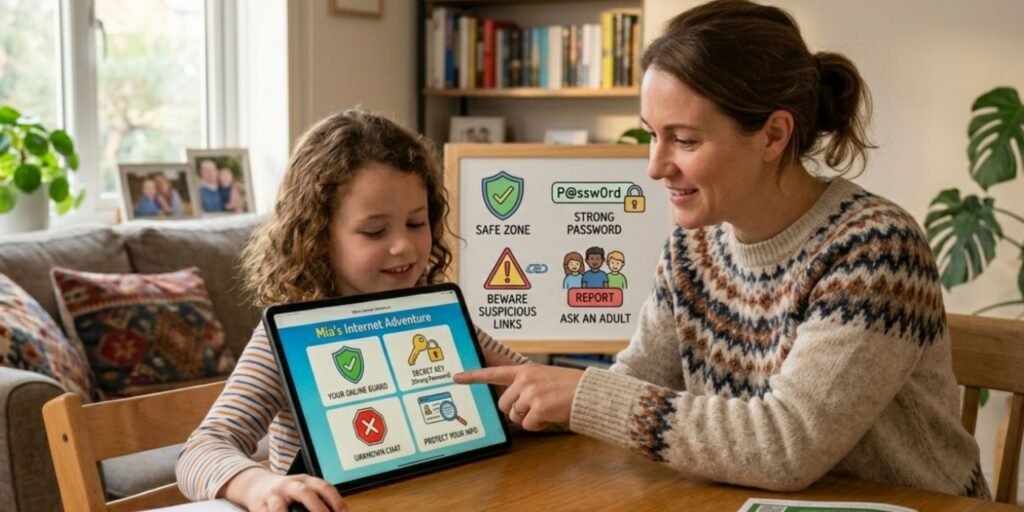
Parents can make phones, tablets, and computers safer by setting up basic security and privacy features. These steps provide an extra layer of protection while children explore the internet.
Use Parental Controls on Phones or Tablets
Parental control features can help parents manage content, apps, and other device settings. Parents should choose controls that are appropriate for the child’s age and explain why they are being used.
Turn On Privacy Settings in Apps
Privacy settings should be reviewed in games, social media platforms, and other apps. These settings can help limit who can contact children and what information is visible to others.
Install Apps Only From Trusted Stores
Children should download apps only from official and trusted app stores. Avoiding unknown downloads can reduce the risk of harmful software.
Keep Devices Updated
Regular updates can fix security problems and improve device protection. Parents should keep phones, tablets, computers, browsers, and apps updated whenever possible.
Healthy Screen Time Habits
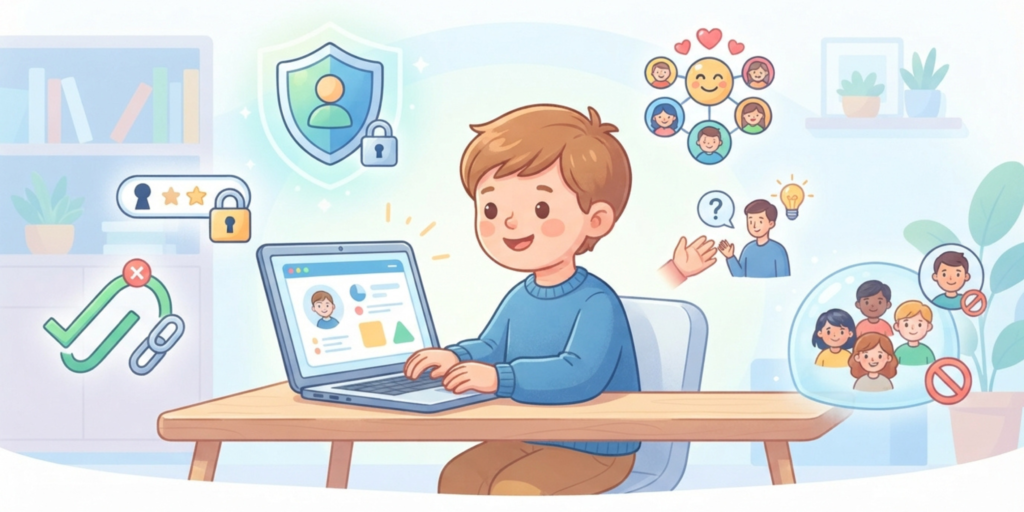
Online safety is not only about websites and security. Children also benefit from balanced digital routines that include time away from screens.
Set Daily Time Limits
Reasonable screen-time limits can help children balance schoolwork, entertainment, sleep, and other daily activities.
Keep Devices in Shared Family Spaces
For younger children, using devices in shared family spaces can make it easier for parents to stay aware of online activities while still respecting the child’s growing independence.
Encourage Offline Activities
Children should have regular opportunities for offline activities such as reading, sports, hobbies, creative projects, outdoor play, and spending time with family.
How to Talk to Kids About Online Safety
Talking about internet safety should feel supportive rather than frightening. Parents can teach how to browse the internet safely through everyday conversations about websites, messages, privacy, and online behavior.
Stay Calm, Don't Scare Them
Parents should explain online risks calmly instead of making children afraid of the internet. A supportive approach makes it easier for kids to ask questions and report problems.
Ask What They Do Online
Ask children about the games, apps, websites, and videos they use. Regular conversations can help parents understand their child’s digital activities and notice potential problems early.
Encourage Open Communication
Children should feel comfortable discussing something confusing or uncomfortable that they see online. Building trust makes these conversations easier.
Make Them Feel Safe to Report Problems
Kids should know that they can tell a trusted adult when something goes wrong online. They should understand that asking for help is more important than worrying about getting in trouble.
Warning Signs Parents Should Notice
Parents can pay attention to changes in a child’s online behavior. These signs do not automatically mean that something serious is happening, but they can be reasons to start a calm conversation.
Child Suddenly Hides the Screen
If a child quickly hides the screen when someone approaches, they may feel uncomfortable or unsure about what they are viewing. Parents should ask gently about what happened instead of immediately becoming angry.
Receives Unknown Messages
Unexpected messages from unknown people can be a warning sign of unwanted contact. Parents should remind children not to trust unknown accounts or click suspicious links.
Becomes Secretive About Online Activity
If a child becomes unusually secretive about their online activities, parents can use calm questions and open communication to understand what may be happening.
Final Message: Safety Is a Team Effort

Online safety is an ongoing process rather than a one-time setup. As technology changes, children need regular guidance about websites, links, privacy, apps, and online communication.
Parents do not need to monitor every click. Instead, they can give children practical skills, clear boundaries, and a safe place to ask questions. These habits can help children become more confident and responsible internet users.
Conclusion
The internet can be a valuable place for learning, creativity, communication, and entertainment when children know how to use it responsibly. Teaching how to browse the internet safely gives kids practical skills for making better decisions online.
Simple habits such as protecting personal information, checking privacy settings, avoiding unknown links, using trusted websites, and talking openly with parents can provide stronger long-term protection. With regular guidance and healthy digital habits, children can enjoy a safer and more positive online experience.
FAQ: How to Browse the Internet Safely
How to browse the internet safely?
To browse the internet safely, children should use trusted websites, avoid suspicious links, protect personal information, review privacy settings, and ask a trusted adult when something online feels unsafe.
What are internet safety rules for kids?
Internet safety rules teach children how to protect themselves online. Important rules include not sharing personal information, avoiding unknown contacts, using trusted websites, and thinking carefully before clicking links.
How can parents keep kids safe online?
Parents can help children stay safe by using appropriate parental controls, reviewing privacy settings, discussing online risks, keeping devices updated, and encouraging open communication.
What should children avoid online?
Children should avoid talking to unknown people, clicking suspicious links, downloading unknown files, and sharing personal details such as their address, school, phone number, or location.
Why is screen time management important?
Screen-time management helps children maintain a healthy balance between online and offline activities such as studying, sleeping, playing, reading, exercising, and spending time with family.
How can parents teach kids online safety?
Parents can explain simple safety rules, discuss online risks calmly, encourage questions, and teach children how to browse the internet safely through everyday examples and conversations.