
How to Detect AI Images: 6 Simple Ways

AI-generated images can look so realistic that it is difficult to tell whether a picture came from a camera or an AI tool. People use AI images in social media posts, advertisements, school projects, and websites. However, some pictures may also be shared without explaining that they were created or edited with AI. Learning how to detect AI images can help you check online information, avoid misleading pictures, and understand what you are viewing. Although no single method works perfectly, several simple checks can reveal useful clues. In this guide, you will learn how to examine an image, use verification tools, and check its original source before deciding whether it is real.
1. Look for Common Signs of AI-Generated Images
The first step is to examine the picture carefully. AI image generators have improved significantly, so a realistic appearance alone does not prove that a photograph is genuine.
Instead, zoom in and check small details that may be difficult for an image generator to reproduce consistently.
Check hands, faces, and small details
Look closely at:
- Hands and fingers: Check whether fingers have unusual shapes or appear to connect incorrectly.
- Eyes and teeth: Look for mismatched details or unnatural patterns.
- Background objects: Check whether objects, buildings, or people seem distorted.
- Text in pictures: Signs, labels, and writing may contain strange letters or unreadable words.
- Repeated patterns: Jewelry, windows, buttons, and other repeated objects may look inconsistent.
For example, a picture of a classroom might look normal at first. However, zooming in could reveal unreadable writing on a board or objects that blend into the desks.
Keep in mind that genuine photographs can also contain visual errors because of motion blur, poor lighting, or editing. Therefore, treat these clues as reasons to investigate rather than proof that an image is AI-generated.
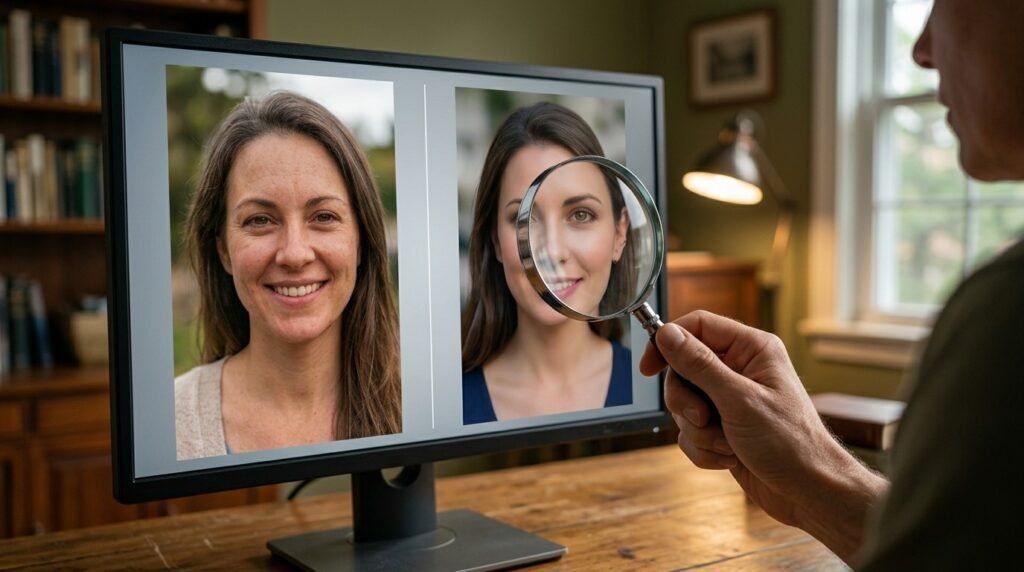
2. Use an AI Image Detector
An AI image detector is a digital tool that examines an image for clues that may indicate it was created or modified with artificial intelligence. Depending on its technology, the tool may analyze visual details, image patterns, textures, and other signals to estimate whether AI was involved. However, its findings are estimates rather than definitive proof.
To check an image with an AI detector, follow these steps:
Select a suitable tool: Choose a detector that explains how its results work, what image formats it supports, and how it handles uploaded files.
Upload the image carefully: Use an image you own or have permission to analyze. Avoid sharing sensitive photographs or personal documents with services you do not trust.
Run the analysis: Follow the website’s instructions and allow the tool to process the image.
Understand the result: Read the explanation provided with the score or label. Check whether the detector identifies possible AI involvement, image manipulation, or another type of signal.
Verify the findings: Compare the result with other available evidence, such as the original image, its source, or reliable information about how it was created.
Some detectors display percentages or confidence scores to communicate their assessment. These numbers should not automatically be interpreted as the exact probability that an image was generated by AI. Results can vary between tools, and genuine photographs may sometimes be flagged incorrectly. Likewise, AI-generated or edited images may go undetected.
Privacy is another important consideration. Before uploading an image, review the service’s privacy policy and check whether files are stored, shared, or used for further analysis. Avoid submitting identity documents, private photographs, or images containing sensitive personal details to unfamiliar platforms.
For the most reliable assessment, treat an AI detector as one source of information rather than a final judge. Combining its findings with trustworthy sources and additional evidence can help you reach a more informed conclusion.
3. Verify Images With Google Gemini and SynthID
One useful option is Google’s image verification feature in Gemini. It can check for SynthID, an invisible digital watermark used in content created or edited with supported Google AI tools.
To try it:
- Open Google Gemini.
- Sign in if required.
- Upload the image you want to check.
- Ask, “Was this image created or edited using Google AI?”
- Read the explanation and consider what it confirms.
If Gemini detects a SynthID watermark, this is evidence that Google’s supported AI technology was involved in creating or editing the image. However, the feature is not a universal AI detector.
If no watermark is found, the image could still have been created with another AI system. It is also possible for certain small edits or unclear image details to prevent reliable verification.
For this reason, combine watermark checks with visual inspection and source research rather than relying on one result.
4. Use Reverse Image Search to Find the Original
Metadata is information stored inside a digital file. Depending on the image and how it was saved, it may include the camera model, date, editing software, and other details.
To examine metadata, use your device’s file information or a reputable metadata viewer. Keep in mind that many social platforms remove some metadata when images are uploaded or downloaded.
Look for information that supports the image’s claimed origin. For example, camera details might help you investigate whether a file came from a photographic device. However, metadata can be changed, removed, or copied, so it is not conclusive proof.
Another useful feature is Content Credentials. These can record information about how digital content was created or edited, when that information is available. Think of them as a digital record of an image’s history.
You can read Google’s official guide to verifying AI-generated media for details about verification features and Content Credentials.
If you are interested in how technology works behind the scenes, exploring web development skills and beginner projects can also help you understand how online tools process and display digital information.

5. Check Image Metadata and Content Credentials
Metadata is information stored inside a digital file. Depending on the image and how it was saved, it may include the camera model, date, editing software, and other details.
To examine metadata, use your device’s file information or a reputable metadata viewer. Keep in mind that many social platforms remove some metadata when images are uploaded or downloaded.
Look for information that supports the image’s claimed origin. For example, camera details might help you investigate whether a file came from a photographic device. However, metadata can be changed, removed, or copied, so it is not conclusive proof.
Another useful feature is Content Credentials. These can record information about how digital content was created or edited, when that information is available. Think of them as a digital record of an image’s history.
You can read Google’s official guide to verifying AI-generated media for details about verification features and Content Credentials.
If you are interested in how technology works behind the scenes, exploring web development skills and beginner projects can also help you understand how online tools process and display digital information.
Is Cybersecurity a Good Career With AI?
AI is changing how some security tasks are performed. Tools can help professionals examine alerts, summarize information, and identify patterns. However, AI output can be incorrect or incomplete.
Human judgment remains important when investigating incidents, checking evidence, deciding how to respond, and understanding business risks.
Beginners can learn how AI tools work while developing strong technical foundations. If you use AI to study, this guide on writing better AI prompts can help you ask clearer questions and evaluate responses carefully.
Do not depend entirely on AI-generated answers. Verify important technical information using reliable documentation and practise concepts yourself.
6. Combine Several Checks Before Making a Decision

The most reliable approach is to gather multiple clues rather than trusting a single detector.
Use this quick checklist:
- Examine small visual details.
- Check the image with an appropriate verification tool.
- Search for the original source or earlier versions.
- Review metadata or Content Credentials when available.
- Look for credible reporting that supports the image’s claim.
- Consider whether the caption matches the actual picture.
Suppose you receive an image showing a famous person in an unusual situation. One detector might label it as likely AI-generated, while reverse image search finds similar pictures with different captions.
Instead of immediately sharing or accusing someone of creating a fake, investigate the source and look for reliable evidence. This habit is useful for students working on assignments, people reading news online, and anyone who uses social media.
If you are learning how digital tools work, this practical approach also connects with the skills needed to become a web developer with a beginner-friendly roadmap.
Frequently Asked Questions (FAQ)
1. Can you detect AI images with 100% accuracy?
No. Visual inspection and detection tools can make mistakes. Some AI images are difficult to identify, while real photographs may contain unusual details. Use several checks together.
2. What is the easiest way to detect AI images?
Start by examining small details, then use reverse image search and an appropriate verification tool. Checking the original source can provide important context.
3. Can Google Gemini identify AI-generated images?
Gemini can check supported images for SynthID watermarks and provide information about Content Credentials where available. However, it cannot reliably identify every image made by every AI system.
4. Does an AI detector always give the correct result?
No. Results depend on the detector, image quality, editing, and the technology used to create the picture. Treat scores as clues rather than final proof.
5. Can AI-generated images look completely real?
Yes. Modern image generators can produce highly realistic pictures. Some images may contain no obvious visual errors, making source checks and verification tools especially useful.
6. Can reverse image search prove that a picture is real?
No. It can help you discover earlier appearances and possible sources, but an older image may also be AI-generated or misleadingly presented.
7. Is it safe to upload pictures to AI detection websites?
It depends on the service. Review its privacy policy and avoid uploading sensitive or private photographs to unfamiliar tools.
Conclusion
Learning how to detect AI images starts with careful observation, but visual clues alone are not enough. Use AI verification tools, reverse image search, metadata, and credible sources to investigate suspicious pictures. Most importantly, remember that a detector’s result is not absolute proof. By combining different checks and questioning the context in which an image appears, you can make better-informed decisions about the pictures you encounter online.